-
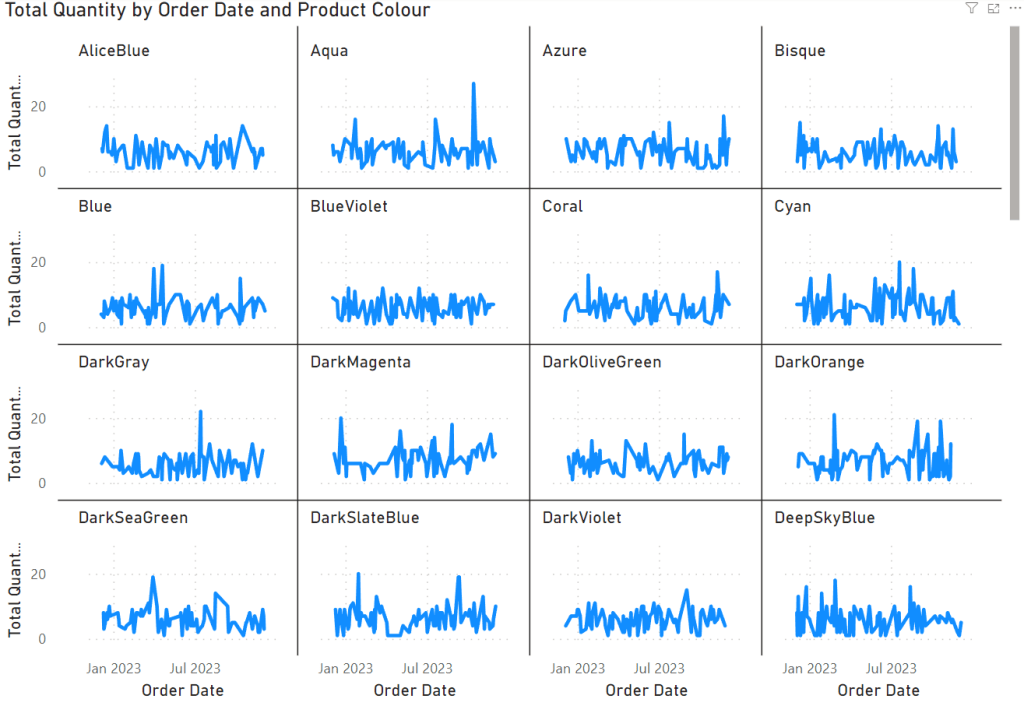
How to Use Small Multiples in Power BI
Of all the visualisation configurations that Power BI has to offer, Small Multiples appear to be one of the lesser used options. This is a shame – in the right hands they can be extremely powerful and can allow for some very fast analysis. Let’s dig into how. Read more
-

7 Reasons Why Power BI is the Ultimate BI Tool
In the ever-evolving landscape of business intelligence tools, one name stands out as a frontrunner: Microsoft Power BI. Power BI has emerged as a dominant force, revolutionising the way organisations harness data to drive informed decisions. Let’s delve into seven reasons why Power BI stands tall as the pinnacle of business intelligence tools. Read more
-

Is This The End for Facts and Dimensions?
Today I want to discuss Facts and Dimensions and, more specifically, whether they’re still relevant in dimensional modelling. Introduction Dimensional modelling, a crucial technique in data warehousing, relies on two main parts: facts and dimensions. Facts contain numerical data, while dimensions provide context and categorisation for these facts. Traditionally, this method focused on making slim,… Read more
-

3 Reasons Data Cleansing is Critical in Data Analysis
Data cleansing is crucial in data-based projects, improving accuracy, building trust, and saving time. Yet, it’s often underused, causing poor performance and inaccurate datasets. This process eliminates duplications, missing or outdated values, incorrect entries, and inconsistent formatting, hence ensuring more reliable decision-making based on data. Read more
-

Use this FREE Date Dimension in Power BI
Today, we’re looking at Date Dimensions and I’ve provided you with your very own that you can use in your dashboards. Why use a custom Date Dimension? Power BI provides a date dimension by default. If you attempt to use a date field in a visual, you’ll typically have the option to use one of… Read more
-

Power BI Reset All Filters Button Made Easy!
This post provides a tutorial on how to create a ‘Reset All Filters’ button in Power BI. It involves creating a rectangle shape with an Action, labeling it clearly, and setting up a Bookmark indicating the reset state. Finally, the button is linked to the Bookmark, making resetting all slicers in a dashboard straightforward. Read more
-
Subscribe
Subscribed
Have a WordPress.com account? Log in now.

